card maker
Discord rank card maker
A rank card is the image Akiko sends when someone runs /rank in your Discord server. It shows a member’s avatar and name, their level, where they sit on the server leaderboard, and how far they are into the next level. This page lets you design one and watch it change as you work.
Start from a design in the gallery or from the default, then drag elements around, change colors, add gradients and resize the card. Nothing on this page is saved, so you can try anything. When you have something you like, add Akiko to your server and build it in the dashboard, or make it your own personal card from your account.

This is a preview. The drag-and-drop editor needs a bigger screen, so open this page on a computer to change the layout itself.
Nothing here is saved. To use a design, add Akiko to your server, then log in to the dashboard and recreate it there, or pick it from the presets.
What you can change
- Backgrounds
- A solid color, a gradient with up to eight color stops and an angle you choose, an image from a link, or one of twelve painted backgrounds that Akiko draws itself. The painted ones show on Discord rather than in the editor.
- Avatar
- Round or a rounded square, with a ring or an outline border in any color and width, placed anywhere on the card.
- Text
- Any number of text elements, each with its own color, size, alignment and an optional shadow or gradient fill. Fill them with tokens and Akiko swaps in the right value for every member.
- Progress bar
- Choose the track and fill colors, the corner radius and an optional gradient. The bar always shows the member’s real progress toward their next level.
- Shapes and layout
- Rectangles, circles and lines for panels and dividers. Layers can be reordered, hidden or removed, and the card can be anywhere from 320 to 2000 pixels wide.
Tokens on a rank card: {user} {username} {handle} {level} {rank} {xp} {xp_required} {xp_total}. Akiko replaces each one with the right value for every member.
Rank card designs
Each of these is a starting point you can open in the editor above and change. The images were drawn by the same renderer Akiko uses in Discord, so what you see here is what a member sees.
Default
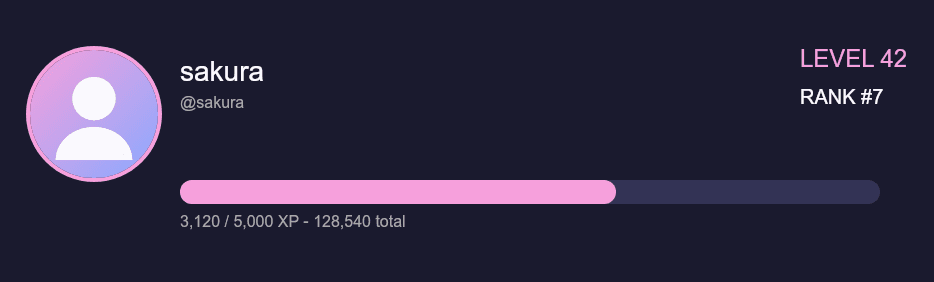
The default look. A pink-ringed circular avatar on the left, the member's name and handle, their level and server rank on the right, and a bar showing XP toward the next level.
Open in the editor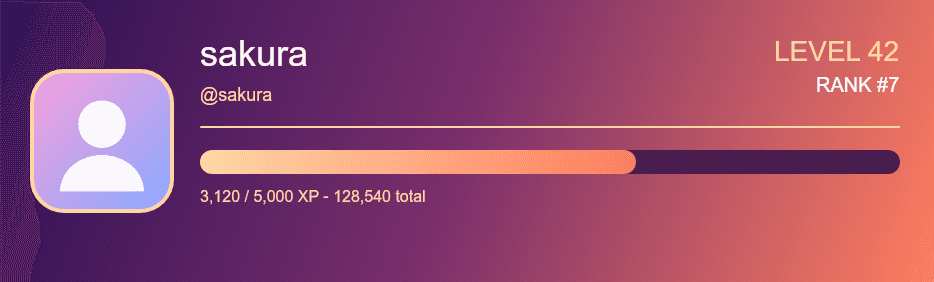
Sunset
A dusk gradient behind a rounded-square avatar, with the name in a soft gradient and the level and rank aligned to the right. Warm, and easy to match to a server with orange or pink branding.
Open in the editor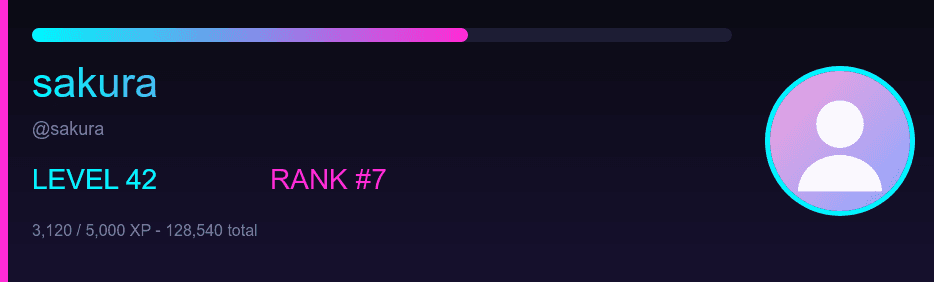
Neon
A dark card with the progress bar moved to the top and the avatar on the right. The cyan and magenta accents suit gaming and streaming servers.
Open in the editor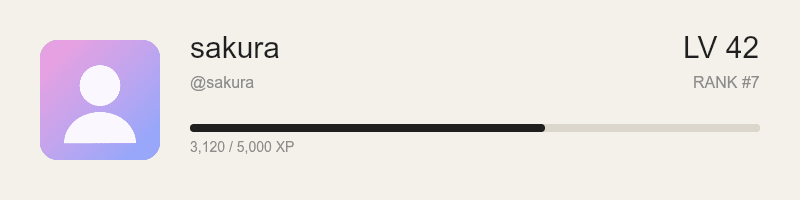
Minimal
A light, compact card with no borders and one thin bar. It is also a smaller canvas, which keeps the image light in busy channels.
Open in the editor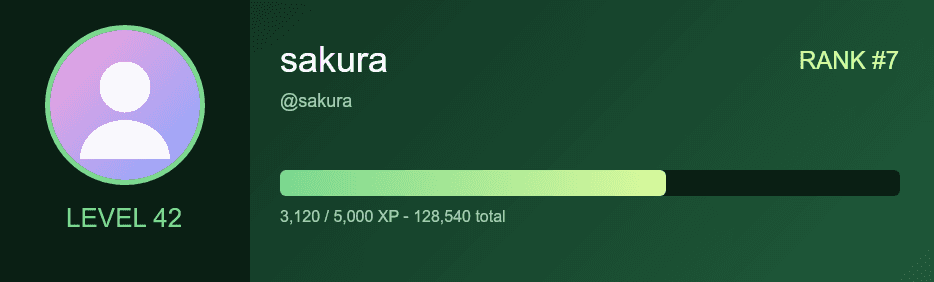
Forest
A side panel that holds the avatar and the level, with the name, rank and a wide squared progress bar on the main area. A calm layout for community and study servers.
Open in the editor
How it gets into Discord
- 1
Add Akiko and turn leveling on
Add Akiko to your server, then run /leveling enable. Members start earning XP from their messages, which is covered in more detail in the guide to Akiko’s leveling.
- 2
Design the server’s card
In the dashboard open Leveling, then Rank card. It is the same editor as this page, with a save button and a preview that shows exactly what Akiko will draw. Saving applies to your whole server.
- 3
Members run /rank
Anyone can run /rank to see their card. Members can also design a personal rank card from their account, and it replaces the server card for them in every server they level in.
Questions
Is the rank card maker free?
Yes. Rank cards, level-up cards, welcome cards and the editor are all free. Premium is a separate subscription for extra AI features and is not needed for any of this.
Do I need an account to try it?
No. This page runs in your browser and does not ask you to log in. You only need an account to save a design.
Why does the card look slightly different in Discord?
The editor is a quick drawing for dragging things around. Akiko draws the finished card with its own renderer, so fonts and fine details can differ a little. In the dashboard, the Discord preview tab shows exactly what Akiko will send.
Can I use my own background image?
Yes. Paste a link to an image ending in .png, .jpg, .jpeg, .gif or .webp as the background in the editor.
What does the rank number on the card mean?
It is the member’s position in the server, ordered by total XP. Rank 1 is the member with the most XP.
Can each member have a different card?
Yes. A member can design a personal rank card from their account. It overrides the server card for them.
Related
Level-up messages use the same editor, so you can match them with the level up card maker, and new members can be greeted with the welcome card maker. The full list of commands shows everything Akiko can do.