card maker
Discord welcome card maker
A welcome card is the image Akiko posts when someone joins your Discord server, with a greeting, their avatar, your server’s name and which member they are. A leave card does the same when someone goes. Use the switch below to design either one.
Try the layouts, change the colors and move things around. The card updates as you work and nothing is saved, so you can start over whenever you like. When you are happy with one, add Akiko to your server and set it up in the dashboard.

This is a preview. The drag-and-drop editor needs a bigger screen, so open this page on a computer to change the layout itself.
Nothing here is saved. To use a design, add Akiko to your server, then log in to the dashboard and recreate it there, or pick it from the presets.
What you can change
- Greeting and text
- Write the greeting in your own words and place the server name and member number wherever you want. Tokens are filled in for each new member.
- Avatar
- Round or rounded-square, with a ring or an outline in any color, large and centered or small beside the text.
- Backgrounds
- Solid colors, gradients, an image from a link, or one of twelve painted backgrounds such as a starry sky. The painted ones show on Discord rather than in the editor.
- Join and leave, separately
- The welcome card and the leave card are two designs, so a goodbye can be quieter than a hello.
Tokens on a welcome card: {user} {username} {mention} {server} {member_count} {member_position} {date}. Akiko replaces each one with the right value for every member.
Welcome card designs
Eleven starting points, each drawn by the renderer Akiko uses in Discord. Open any of them in the editor above, or use one as it is.

Default
The default welcome card. It greets the new member by name, names the server, and shows which member number they are.
Open in the editor
Left avatar with underline
A rounded-square avatar and a pink underline under the text. A little more designed than the default while staying compact.
Open in the editor
Centered
Everything on the center line. A good fit when the card is shown at the top of a welcome channel.
Open in the editor
Accent sidebar
A colored bar on the left edge and a larger avatar. Change the bar to your server color for an instant brand match.
Open in the editor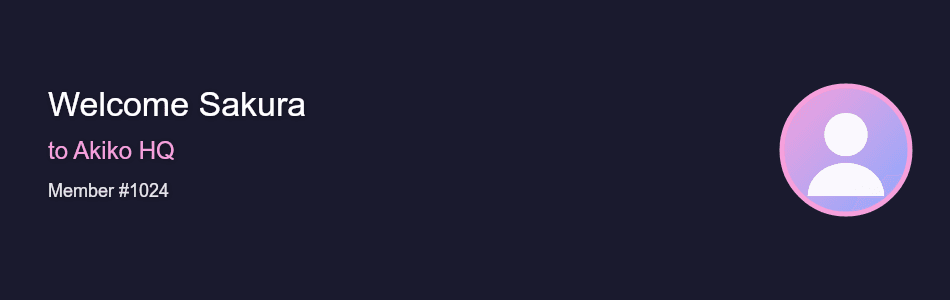
Avatar on the right
The text leads and the avatar closes the card on the right, which reads naturally left to right.
Open in the editor
Large centered avatar
A big avatar and two lines of text, without the member number. Best when the new member's picture should be the focus.
Open in the editor
Divider
A thin vertical divider separates the avatar from the text. Compact and tidy.
Open in the editor
Gradient banner
A full-width gradient behind a centered avatar and heading. Bright enough to stand out in a busy channel.
Open in the editor
Starry background
A built-in star field behind a dark panel, with the join date shown as well as the member number.
Open in the editor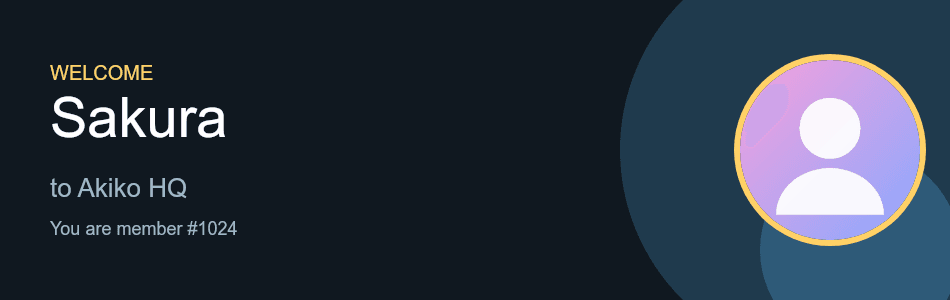
Badge corner
A large name under a small WELCOME label, with the avatar set into overlapping circles on the right.
Open in the editor
Split panel
A bold colored panel for the avatar and member number, and a clean text area for the greeting. The most poster-like of the welcome designs.
Open in the editor
How it gets into Discord
- 1
Add Akiko to your server
Add Akiko, then pick the channel where new members should be greeted.
- 2
Set up the welcome message
Run /welcomer setup join for the welcome message and /welcomer setup leave for the leave message. /welcomer preview shows what a card will look like before anyone joins, and /welcomer settings lists everything currently set.
- 3
Design the card
In the dashboard open Welcomer. It is the same editor as this page, with a save button and a preview that matches what Akiko draws.
Questions
Do I need separate cards for joining and leaving?
They are designed separately, but you do not have to use both. You can set up only the welcome message and leave the leave message off.
What can the card say about the new member?
Their name, their mention, their member number, the server’s name and the date. The list of tokens is above the gallery.
Is it free?
Yes. Welcome cards, leave cards and the editor are free.
Can I turn the welcome messages off?
Yes. /welcomer disable turns welcome and leave messages off, and you can set them up again at any time.
Related
If you also want members to earn levels, see how the rank card maker and level up card maker fit into Akiko’s leveling system.